 Johnattan's Laboratory
A Mac menu-bar gauge for the AI quota that is left
Claude Code and Codex each show their remaining usage only when you ask inside the tool. I built a small fuel gauge in the Mac menu bar that shows both at a glance.

Updated3 Oct 2026
The problem
I work in Claude Code and Codex all day, on subscriptions with rolling usage windows: a 5-hour session and weekly limits. Before starting a long job I needed to know how much of each window was left, and whether the current pace would run one dry before it refilled.
What was out there
Each tool reports its own usage only from inside a session: /usage in Claude Code and /status in Codex. I wanted both on one screen, with a forecast of whether each limit would last until it refilled. The figures behind those commands are not documented and may change shape at any time.
What I built
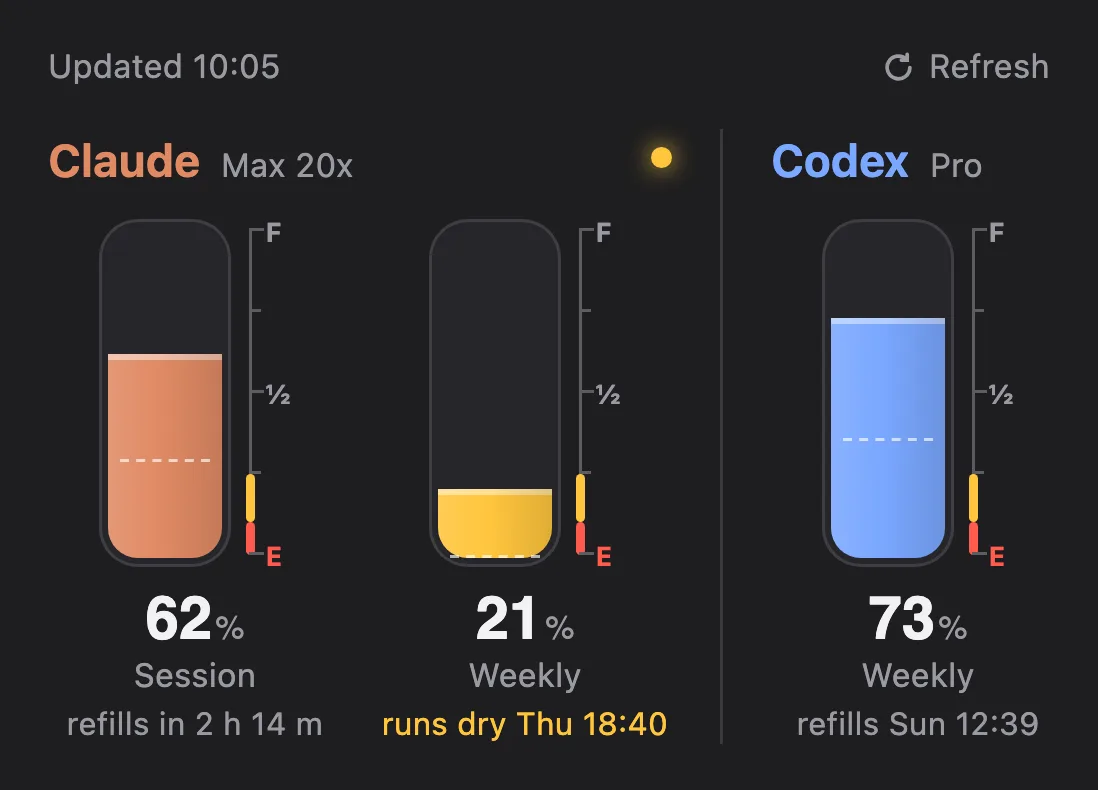
A small gauge icon in the menu bar, with no numbers on it. Clicking it opens a popover with one fuel tank per usage window. The level is the percentage left, with an F, ½ and E scale beside it. The reserve zone turns amber below 25% left and red below 10%, and the menu-bar icon takes the same tint. A dashed line shows the level at refill if the current pace holds; when a limit would run out first, the tank says "runs dry" and when. There is also a usage command for the terminal.
The tracker reads each app's login read-only, from the local apps, and never refreshes it.
Equipment
- Claude Code Harnesses and agents
- Claude (Opus 4.6 to 5.5) AI models
- Python and uv Code and infrastructure
- SwiftBar Apps and services
How I built it
- Wrote one Python script that uses only the standard library. It takes the readings for both services, puts them in one format and appends every live reading to a history file.
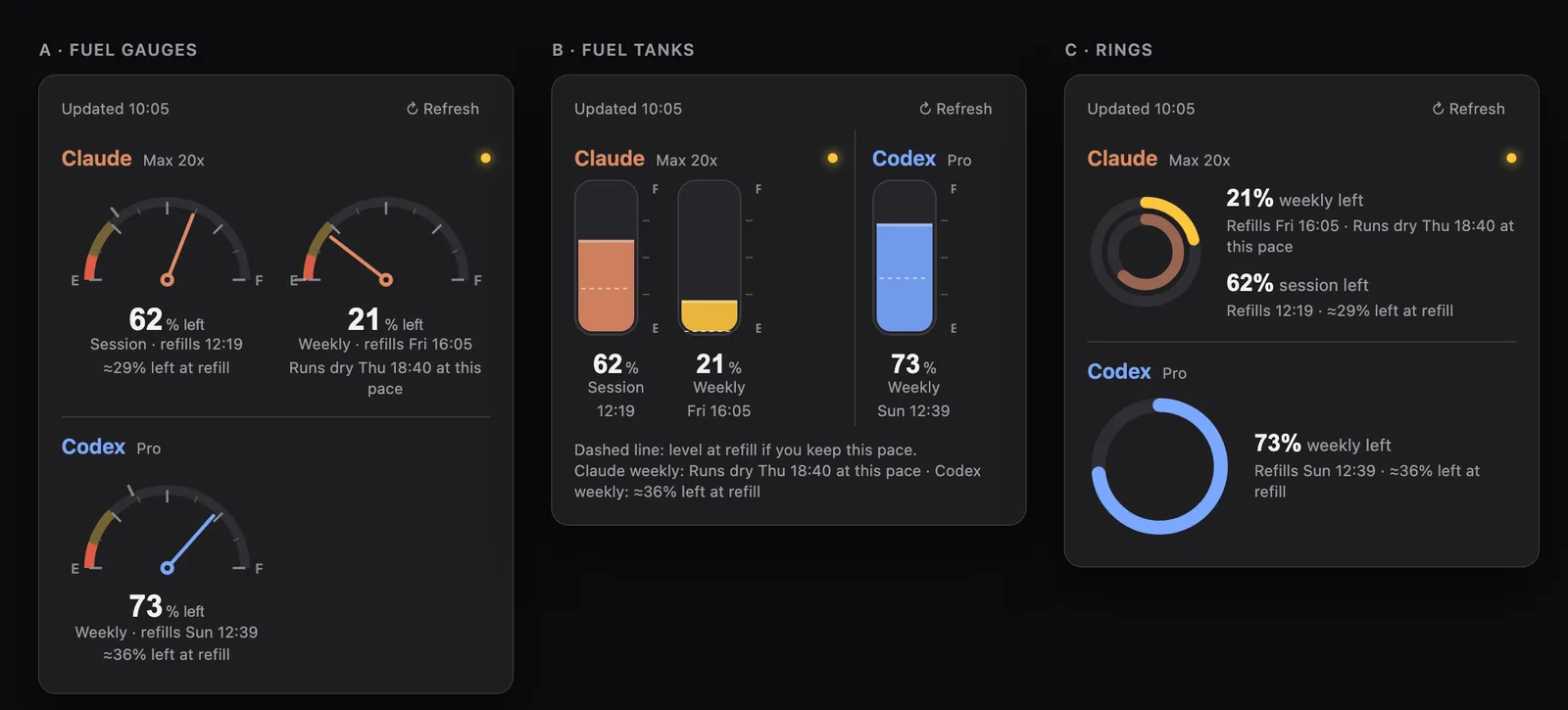
- Drew three concepts for the popover: fuel gauges, tanks and rings. I chose the tanks, with the gauge's E and F markings added.
- Ran the script as a SwiftBar plugin. It takes a fresh reading every 5 minutes and serves the popover as a small local web page; the Refresh button updates it in place, at most once every 15 seconds.
- Added fallbacks. When a login has expired, the popover keeps the last good reading and shows its time in amber. I tested this with simulated login failures.
- Changed the forecast for weekly windows to the recent rate: the rise in usage over the last 72 hours of history. With less than 24 hours of history, and always for the 5-hour session, it uses the window's average so far, and only once 15% of the window has passed.
Results
The tracker was installed and verified on 2026-09-28, and I signed it off the same day ("it's just perfect"). It runs with no dependencies beyond Python and SwiftBar. The two rare notices, an old reading and "runs dry", had not yet been seen live when the project notes were last updated.
What I learned
Read a login, never refresh it. Refreshing would rotate the token both apps rely on and break their sign-in. The cost is that a reading goes stale when a tool has not run for a while, so the popover shows the reading's age instead of hiding it.
A forecast based on the average so far goes blind right after a window resets. The trailing 72-hour rate, with rises added up across resets, keeps working.
SwiftBar caches the popover's web view, so its address must never change. A random port broke it.
Lab notes
-
I switched the weekly forecast from the window average to the rise in usage over the last 72 hours, and brought back a vanished menu-bar icon that SwiftBar had listed as disabled.
-
I built the first version with Claude Code: one Python script reads Claude and Codex usage into the menu bar, and a fuel-tank popover, picked from three concepts, shows what is left. I tested the fallbacks with simulated login failures.