 Johnattan's Laboratory
A 10.3-inch e-paper home screen whose pages are drawn on the Mac
I wanted a quiet screen at home that shows the day at a glance, takes messages from a phone and gets Spanish accents right. With Claude Code I wrote firmware, a Mac screen server and over-the-air updates for a Seeed reTerminal E1003, with pages designed in Figma.

Updated16 Oct 2026
The problem
On 12 October 2026 I bought a Seeed reTerminal E1003: a 10.3-inch touch e-paper screen (1872 by 1404 dots, 16 greys) run by an ESP32-S3 chip. I wanted it to show the day at a glance (calendar, pending tasks, weather, room temperature), to accept messages sent from a phone, and to draw Spanish text with its accents.
What was out there
Ready-made routes exist: Seeed's factory dashboard software, TRMNL (without touch on this model) and ESPHome with Home Assistant. Claude's overnight survey found about nine public projects for this model and none that used it as a display for AI agents; across the device family, most people build Home Assistant dashboards and photo frames.
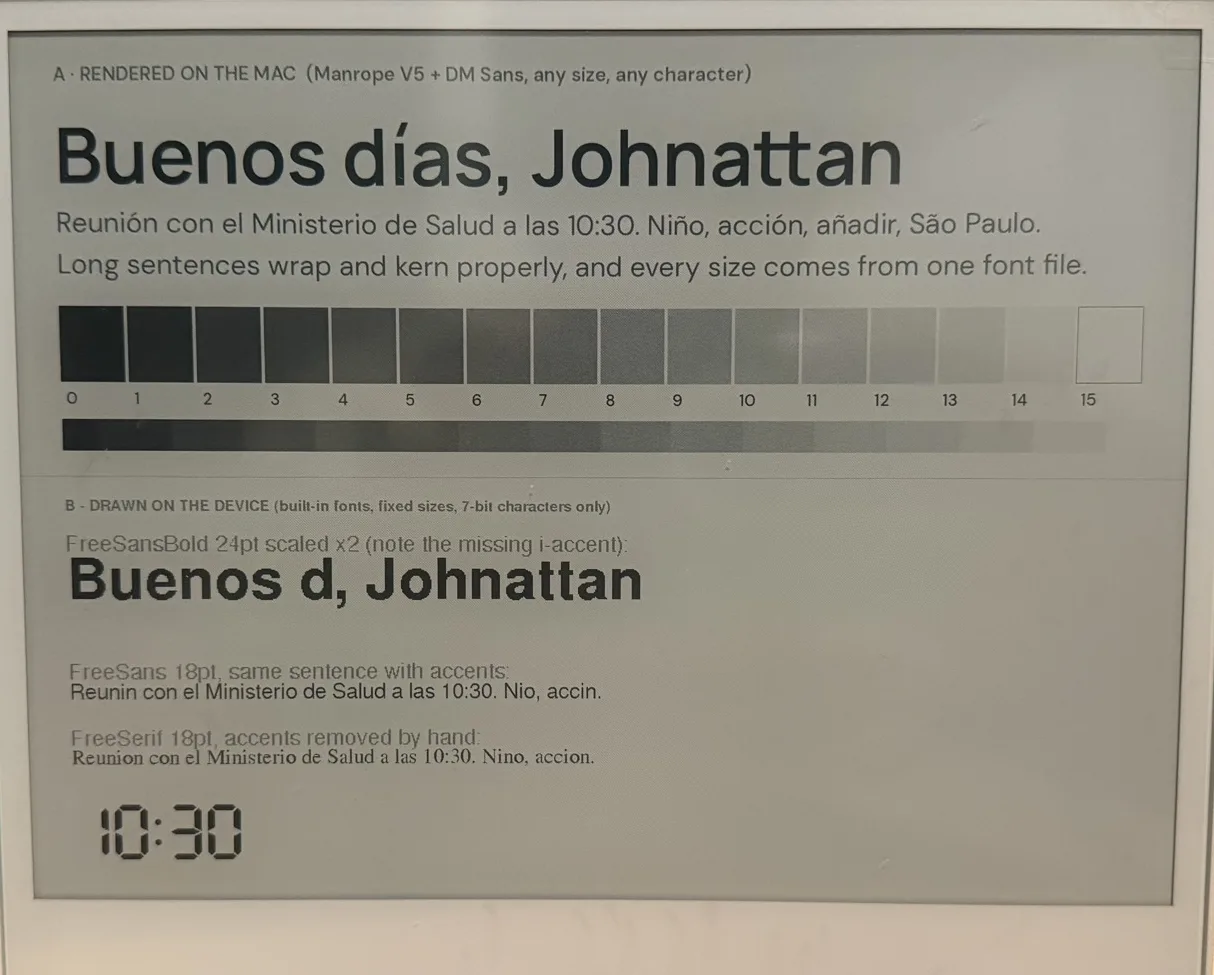
What held me back was the device's own text drawing. The ready-made fonts in Seeed's graphics library have no accented letters, and they vanish without a trace: on the test screen "Reunión" came out as "Reunin". Scaled-up device fonts had jagged edges.
What I built
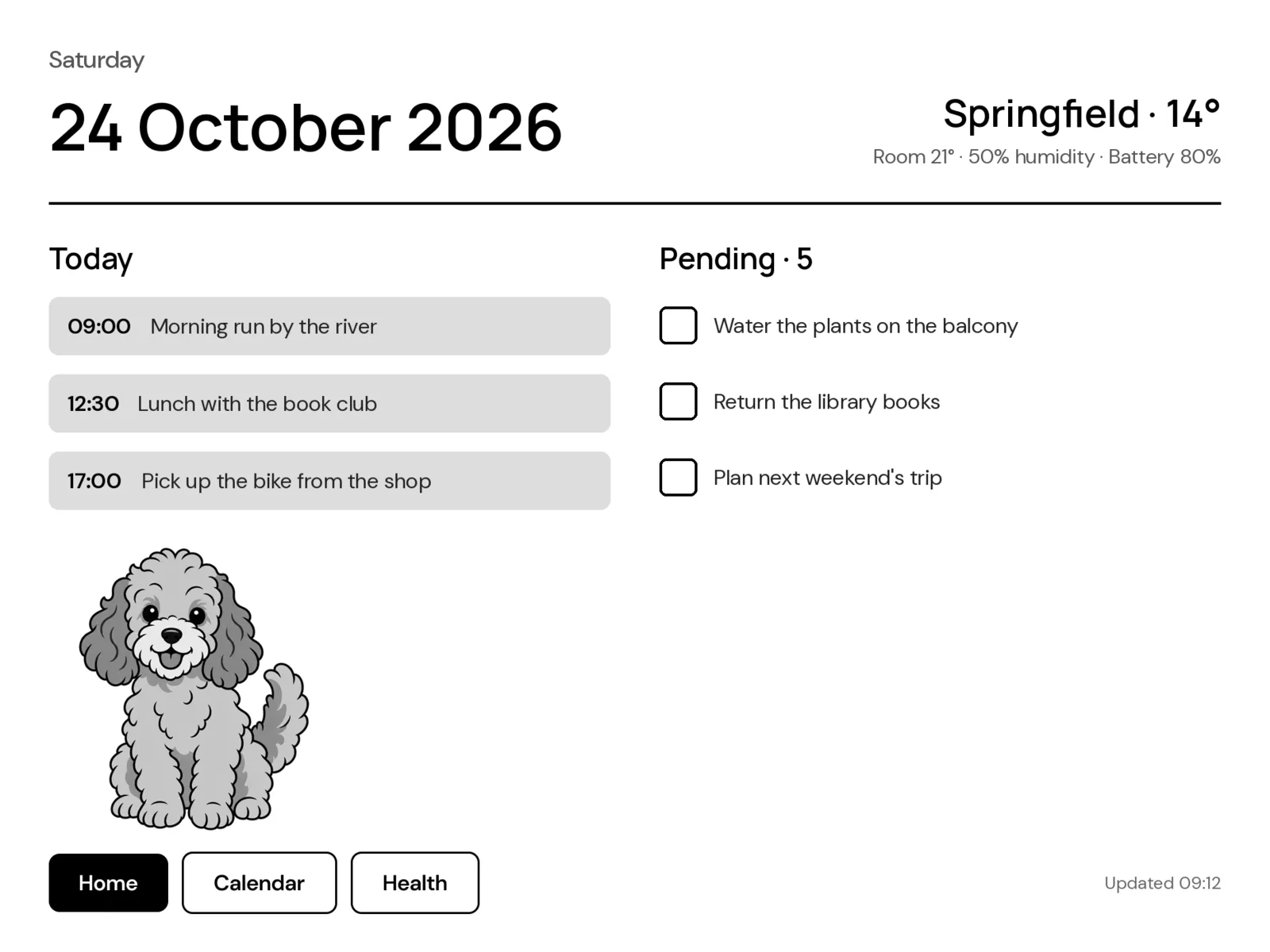
The Mac does the drawing and the screen only displays. Pages are designed in Figma, where layers named btn: become touch areas and text layers named {{field}} are filled with live data. A small Python server on the Mac renders each page as a 16-grey image with real fonts, compresses it, and serves it over Wi-Fi. The firmware fetches pages, maps taps to buttons, prefetches the pages linked from the current one, and redraws only the boxes that changed.
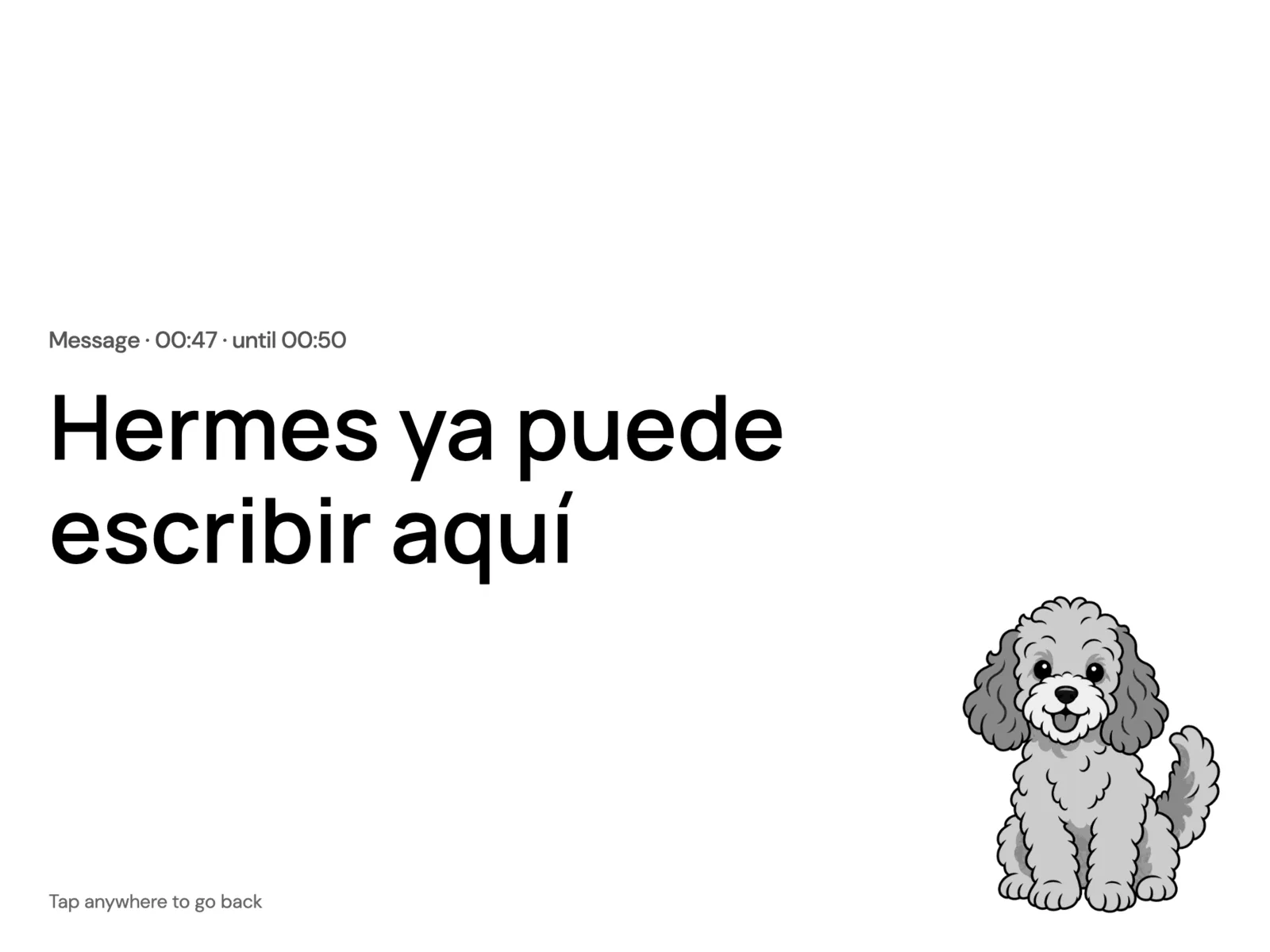
On top of that: a live Home page, HTML pages rendered in a headless browser, photo pages dithered to 16 greys, an offline badge, remote page switching, over-the-air firmware updates, a crash-safe mode, and a command that lets Hermes put a message on the screen with an expiry time. A mascot in three poses, drawn with Codex's image generator in flat greys for e-paper, sits on the pages by day and sleeps at night.
Equipment
- Claude Code Harnesses and agents
- Claude (Opus 4.6 to 5.5) AI models
- Codex CLI Harnesses and agents
- GPT (GPT Image in Codex) AI models
- Figma Design and media
- reTerminal E1003 Hardware
- Arduino CLI and ESP32 core Code and infrastructure
- Playwright Code and infrastructure
- Open-Meteo Data sources
- Hermes Agent Harnesses and agents
- Python and uv Code and infrastructure
How I built it
- I backed up the factory firmware first. The USB serial chip dropped bytes at higher speeds, so the 32 MB backup was read in 1 MB chunks, each hash-checked and retried at a lower speed when it failed.
- I printed a font test on the real glass: the top half rendered on the Mac, the bottom half with device fonts. My verdict on the Mac half, "it looks so much better", settled the design.
- Then came the Figma pipeline: a design file with the 16 panel greys as variables, a converter to the panel's format, and a spec file that records where each live field goes.
- I measured every step of a page load and a tap, then cut what I could: a compressed 4-bit format instead of PNG, one request per page, prefetching, and fast black-and-white refresh zones for small changes.
- I gave Claude a written mandate for an overnight research run (01:58 to 08:00): parallel research on Seeed's official documents, about 100 community projects across the device family, the panel's refresh modes and new ideas, plus measured experiments on the device itself.
- I packaged a setup kit with neutral data sources and handed the first unit over to friends.
Results
- A page load went from about 6.6 seconds to about 3.1. On a menu tap the panel's own refresh (about 2,253 ms) made up about 92% of the wait.
- Telling the panel its real temperature and doubling the display connection to 20 MHz made a full redraw about 30% faster: 2.26 to 1.59 seconds.
- A tick in a checkbox redraws as a 48 by 48 pixel box in 0.56 seconds, with no flash.
- A fast-refresh zone ran 130 updates in a row, checked in the log, with no visible ghosting.
- A deep-sleep prototype woke ready in 3.7 seconds instead of 9.1.
- After a font fix (Figma sizes text optically), the server's render of a page differed from Figma's own export on 0.7% of pixels.
- The first over-the-air update sent 1.38 MB in 72 seconds; from then on the cable was needed only for logs.
- A hang after an update kept the device awake and emptied the battery from 3.85 V (about 54%) in under 15 hours. The safeguards added that evening restart a stuck start-up after 90 seconds and put the device to sleep below 3400 mV when it is not charging.
What I learned
Draw on the computer, display on the device. The overnight research later found that Seeed's demos can draw accents with a TrueType renderer, but I kept rendering on the Mac: any font, charts, and pages that match the Figma design.
A hang while awake empties this battery in about half a day, and no log survived because the device sends its log only after Wi-Fi connects. Build the start-up deadline and the safe mode before you need them.
Background services should run as background services. A server started in a Claude app terminal tab stopped running until the app was active again, which cost about 4 hours of the overnight run; it now runs as a login agent. A hidden headless Chrome also registered itself as Chrome with macOS and swallowed the links clicked on the Mac, so pages are now rendered with Playwright's separate headless shell.
Lab notes
-
I handed the first unit over to friends with a setup kit that uses neutral data sources, after moving HTML rendering to Playwright's headless shell because a hidden Chrome had started taking over link clicks on the Mac.
-
Over-the-air updates made the screen cable-free, and Hermes, my phone assistant, can now post messages to it. After a hang emptied the battery, I added a 90-second start-up deadline, a safe mode that does not touch the display and a low-battery sleep screen.
-
Claude ran an overnight research session that produced four reports and 32 ranked ideas, and cut a full redraw from 2.26 to 1.59 seconds and a deep-sleep wake from 9.1 to 3.7 seconds.
-
I backed up the 32 MB factory flash in verified 1 MB chunks and ran a font test on the real panel: text drawn on the Mac kept every accent, and the device's own fonts dropped them. The same day the screen started fetching its pages from a server on the Mac over Wi-Fi, and a compressed 4-bit format instead of PNG cut a page load from about 6.6 to about 3.1 seconds.