 Johnattan's Laboratory
A game handheld that works as a keyboard and mouse for a remote Mac
I bought a Retroid Pocket 5 for games, then wanted it as the keyboard and mouse for a Mac I reach from an iPad. The remote-desktop app would not pass keys through, so I patched an open-source Bluetooth app to send input straight to the Mac.
Updated20 Oct 2026
The problem
The handheld came first. I wanted one device for classic games I already own and for small games I build on the Mac with AI help, so I researched which one to buy. Once the Retroid Pocket 5 arrived, it got a second job. When I work away from my Mac, an iPad shows the Mac's screen through Chrome Remote Desktop, and I wanted the handheld's sticks and buttons to be the mouse and keyboard.
What was out there
For the purchase, the starting shortlist had four Retroid models. Codex's first report moved the pick from the Nova to the Pocket 5: for Game Boy games the Pocket 5 shows a 7x integer-scaled image (1120 by 1008 pixels) against the Nova's 6x, and the newer Pocket 6's extra power adds no game-making route (Godot, LÖVE or a PICO-8 wrapper) that the Pocket 5 lacks. When Claude later leaned toward the Pocket 6, a second Codex run was told to try to break that claim, and overturned it in four places.
For the remote input, nothing worked as it came:
- Bluke, another Bluetooth input app from F-Droid, reported "Device Not Compatible" on the handheld.
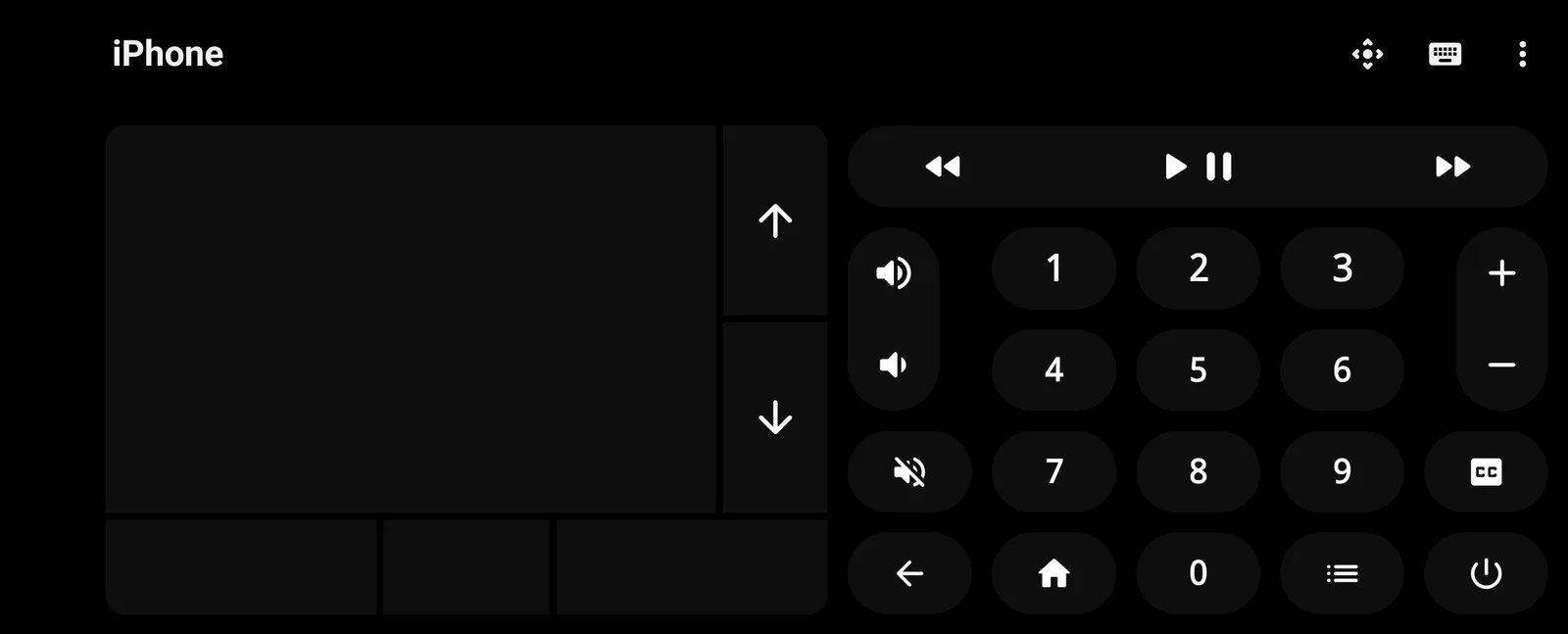
- Bluetooth Remote paired with the iPad as a keyboard and touchpad, but could not use the joystick as a mouse.
- Chrome Remote Desktop on the iPad does not pass hardware keys straight to the remote computer; it uses its own text box and send button.
- The iPad's Full Keyboard Access setting took over the space bar and broke capitals until it was turned off.
What I built
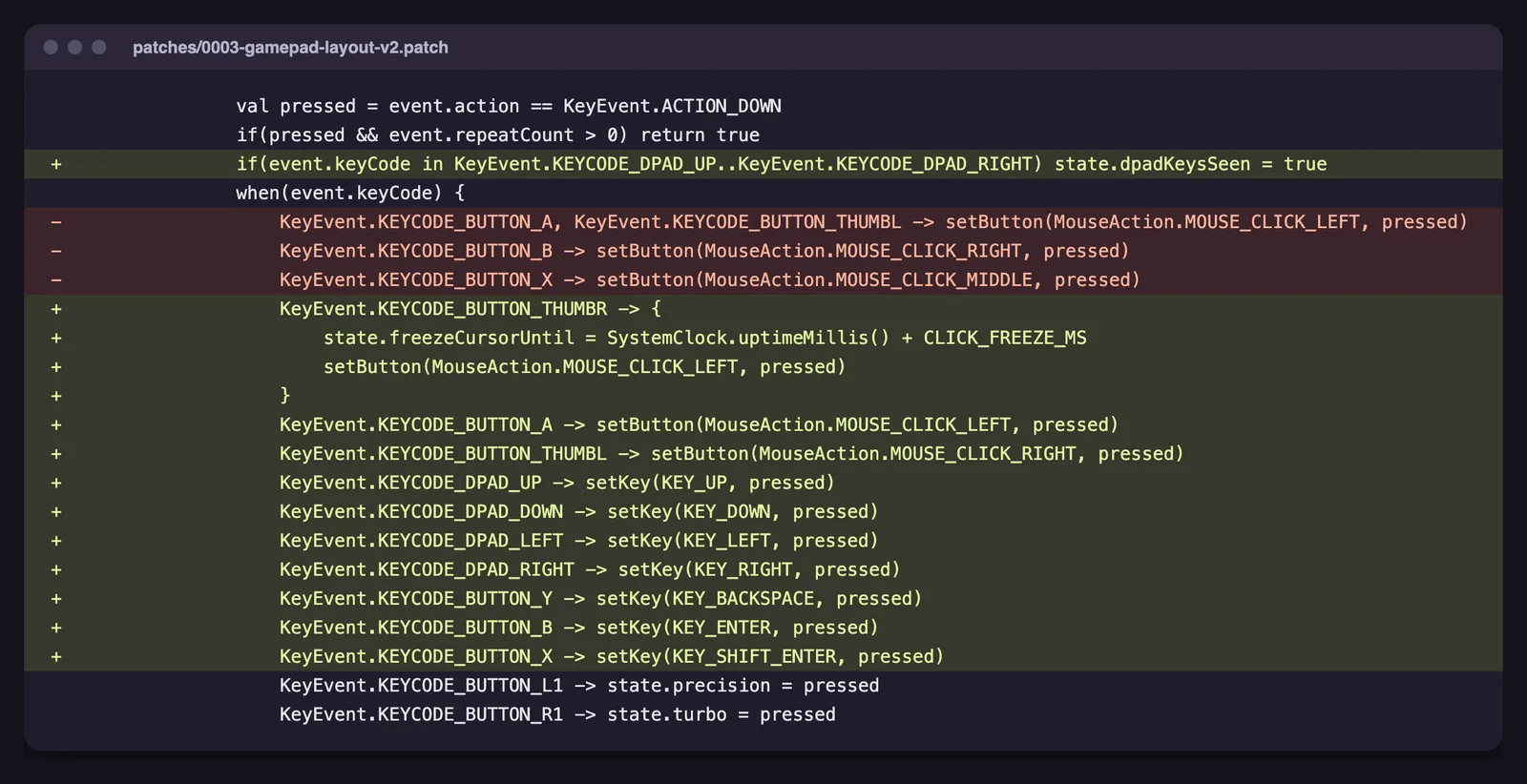
BT Remote RP5 is my build of the open-source Bluetooth Remote app (GPL-3.0), with six patches: the right stick moves the cursor (15% dead zone), the left stick scrolls, a stick click is a mouse click (hold to drag), the D-pad sends arrow keys, B is Enter, Y is Backspace, L1 slows the cursor to 0.35x for precision and R1 speeds it up 2x.
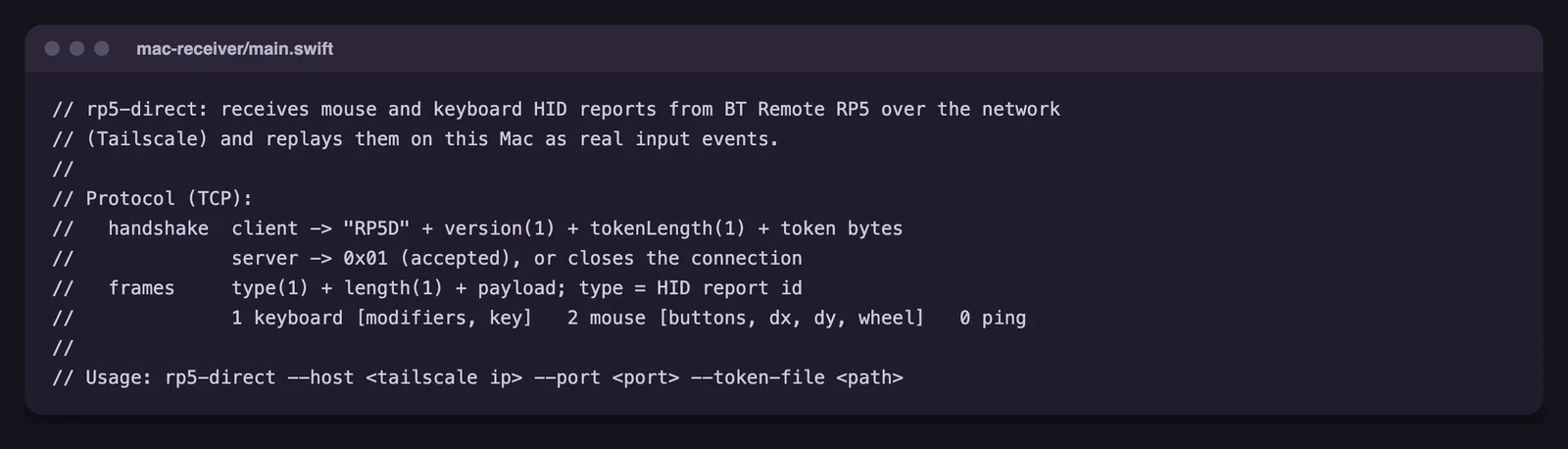
Direct to Mac goes around the iPad. The app sends its keyboard and mouse reports over Tailscale to a small receiver on the Mac, written in Swift with no dependencies (344 lines). The receiver listens only on the Mac's private Tailscale address, checks a shared key, and replays the input as mouse and key events. The iPad only shows the screen.
The handheld also plays: a Game Boy game I already had runs in RetroArch, and its saves are copied one way to the Mac with Syncthing, which keeps old versions of changed or deleted files.
Equipment
- Claude Code Harnesses and agents
- Claude (Opus 4.6 to 5.5) AI models
- Codex CLI Harnesses and agents
- GPT (GPT-5.5 to GPT-6.1 in Codex) AI models
- Retroid Pocket 5 Hardware
- Bluetooth Remote (open source) Apps and services
- Chrome Remote Desktop Apps and services
- Tailscale Code and infrastructure
- Android SDK and emulator Code and infrastructure
- RetroArch Apps and services
- Syncthing Apps and services
- GitHub and GitHub Pages Code and infrastructure
How I built it
- Codex (GPT-6 Astra) wrote the buyer research, a Claude reviewer checked it, and a second Codex run audited the final pick against live listings.
- On the handheld I confirmed the firmware supports acting as a Bluetooth keyboard and mouse, then chose Bluetooth Remote because it was the app that worked.
- I kept my changes as numbered patch files on top of the upstream code, with a script that rebuilds the app from upstream plus patches.
- After Chrome Remote Desktop blocked hardware keys, I added the Direct to Mac link (a TCP client that reconnects and pings every 3 seconds) and the Mac receiver, installed as a login agent.
- I installed apps from F-Droid and official developer builds (Google Play stays off by my choice), fixed the game controls, and set up the save backup.
Results
- On 19 October 2026, typing "123" on the handheld arrived on the Mac through Direct to Mac, and the receiver logged the connection.
- The controller layout works while the mouse panel is on screen, including with the keyboard sheet open.
- A test save file created on the handheld reached the Mac in about 15 seconds; deleting it on the handheld left a recoverable copy on the Mac.
- The game's buttons did nothing until I set explicit mappings from Libretro's Pocket 5 profile; after that I confirmed Start, A and B worked.
- Still to check over Direct to Mac: spaces, capitals and accents, double-click, scroll direction, held-key repeat and cursor speed.
What I learned
Ask the reviewer to break a specific claim. Told to attack Claude's Pocket 6 lean, Codex found that the listing in question had the wrong control layout and no live offer, and that the claimed longer support could not be verified.
When an app in the middle blocks you, go around it. Fighting Chrome Remote Desktop's text box on the iPad was a dead end; sending the input straight to the Mac was a few hundred lines of code.
macOS ties its Accessibility permission to the exact program file, so every rebuild of the receiver needs the permission granted again in System Settings.
Lab notes
-
I set up a Game Boy game I already had in RetroArch, fixing its unmapped buttons with Libretro's Pocket 5 controller profile, and a one-way save backup to the Mac with Syncthing; a test file arrived in about 15 seconds.
-
I added Direct to Mac: the handheld sends its input over Tailscale to a small receiver on the Mac. Typing '123' on the handheld arrived on the Mac.
-
After confirming the handheld can act as a Bluetooth keyboard and mouse, I built my own version of Bluetooth Remote: right stick for the cursor, left stick to scroll, D-pad for the arrow keys, and two patches that make the on-screen keyboard easier to use.
-
I compared handhelds with a Codex research report built on 59 sources and a Claude review, then asked Codex to try to break Claude's lean toward the Pocket 6. It recommended the Pocket 5, and I ordered one.