 Johnattan's Laboratory
A private shelf between phone and Mac
Interactive reports made on my Mac broke when I opened them on my phone, and phone photos had no quick way back to the Mac. I built a private page on the Mac, reachable only from my own devices, that handles both.
Updated9 Sep 2026
The problem
Much of what the AI makes for me is HTML: reports with interactive charts, slide decks and notes. I read them on my phone while commuting. Sent as files, they open in the iPhone's quick preview, which does not run JavaScript, so the interactive parts break. Going the other way, photos and PDFs from the phone needed a fast route into the Mac. None of it should be public.
What was out there
Tailscale's own file sharing between devices, Taildrop, was still labelled public alpha and does not resume large files. Its Funnel feature would put files on the open internet, which I ruled out from the start. The Mac version of the Tailscale app can forward a port but cannot serve a folder by itself, so I needed a small server anyway.
What I built
A small web page served from the Mac and reachable only from my devices on my private Tailscale network. It has four parts.
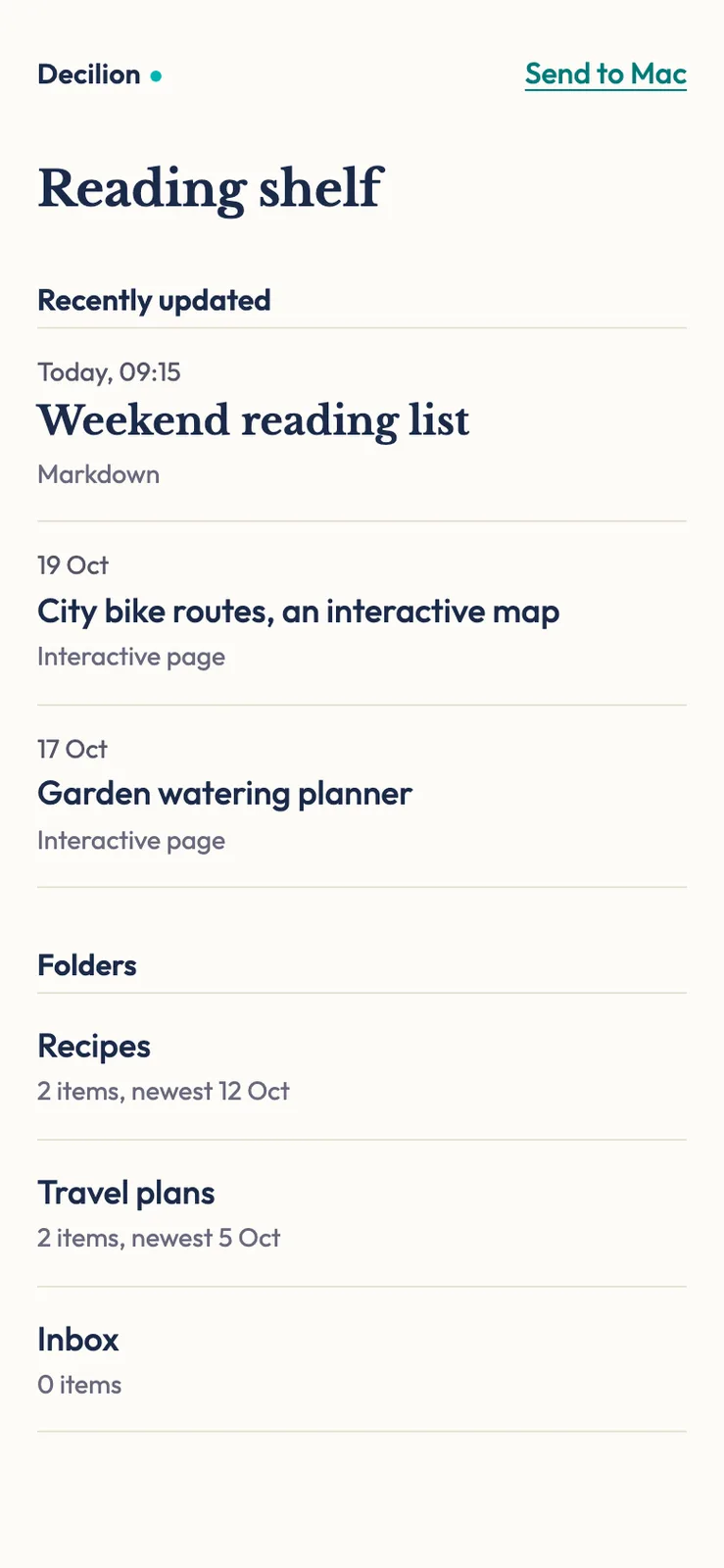
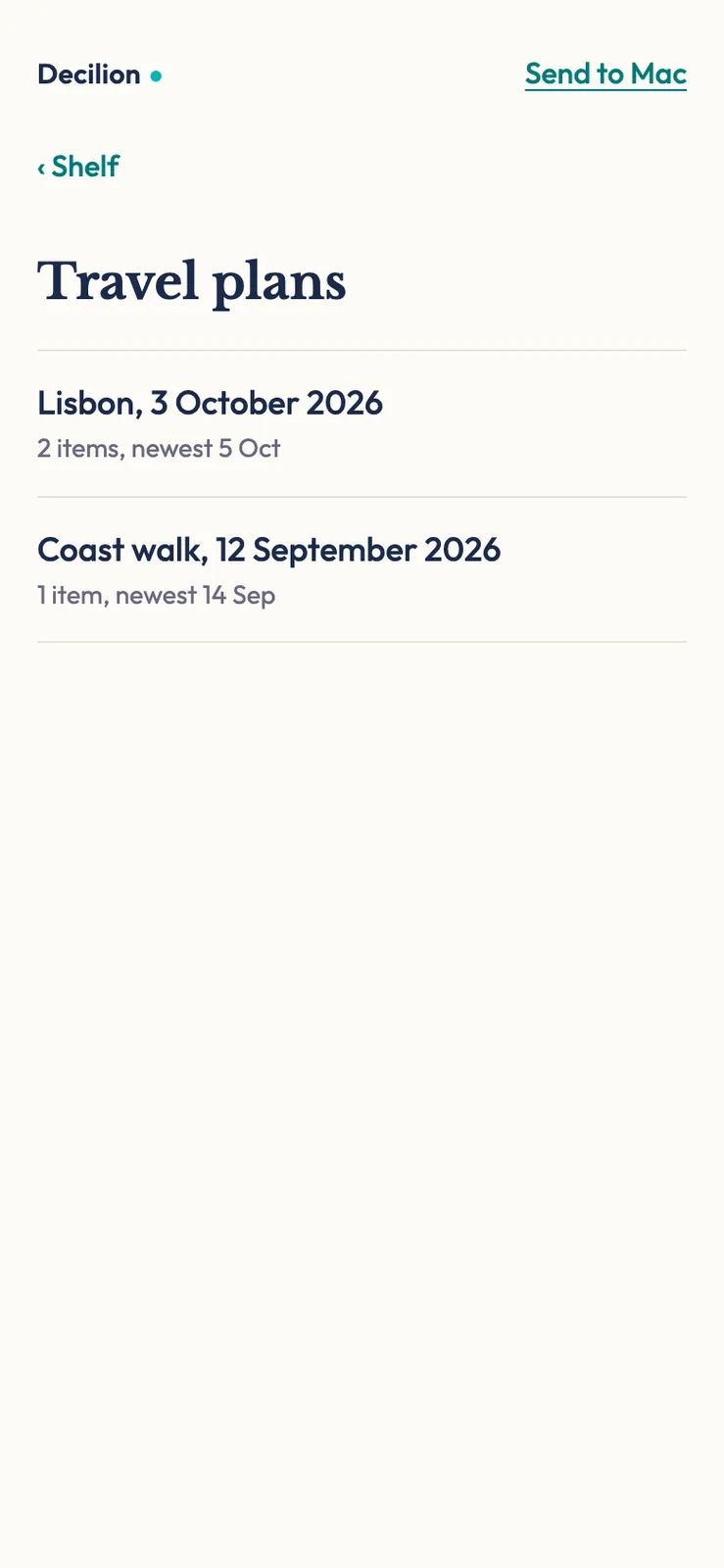
- A reading shelf: a quiet index of one folder on the Mac, with the three most recent readings at the top. Titles come from each document's own title or first heading rather than the file name, and dated folders get a readable date.
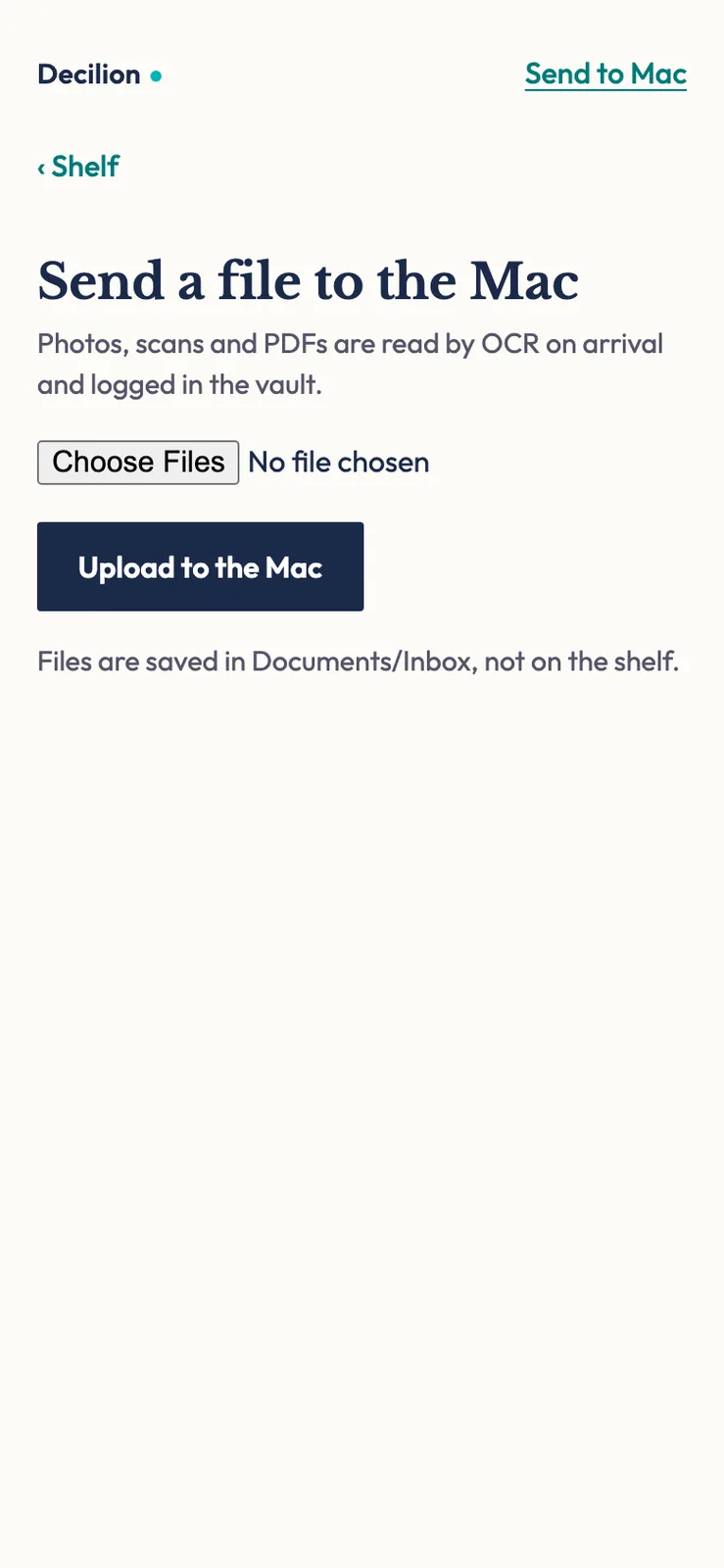
- Send to Mac, an upload page. Files land in an inbox folder, where a watcher runs Mistral OCR on photos and PDFs, saves the text next to the original and logs one line in my notes. It never deletes an original, and iPhone photos get a JPEG copy for the OCR.
- A preview slot. One command puts a local development server on the phone, so I can check a site on the real device before I publish it.
- A private route to local models. Reins, a phone app, chats with the Ollama models on the Mac through the same private network.
Equipment
- Claude Code Harnesses and agents
- Claude (Fable 5 and 5.1) AI models
- Codex CLI Harnesses and agents
- GPT (GPT-5.5 to GPT-6.1 in Codex) AI models
- Mistral (Mistral OCR v3) AI models
- Python and uv Code and infrastructure
- Tailscale Code and infrastructure
- Ollama Code and infrastructure
How I built it
- I audited what was already exposed. Ollama was listening on every network interface, so anyone on the same café Wi-Fi could reach it. I bound it to the Mac alone and let Tailscale forward it to the phone.
- I wrote a small Python file server that listens only on the Mac itself. Tailscale's Serve feature puts HTTPS in front of it for my devices.
- I added the upload page and the OCR inbox. Two macOS launch agents start them on their own.
- I rejected the first design (a dark band, cards and coloured file-type badges). Codex wrote an independent critique, and version 2 became a plain reading index where type and spacing carry the look.
- I wrote a guard script that restores the single private Ollama, after another AI agent on the Mac started a second copy listening on the network.
Results
On 2026-09-09 every part worked from the phone: the shelf loaded, Reins answered, and an upload landed in the inbox, went through OCR and was logged. The upload page accepts files up to 200 MB. The private network holds two devices, the Mac and the iPhone, and nothing is published to the internet.
What I learned
Check what is already listening before adding anything. The first thing I found was a local model server open to any network the laptop joined.
Another agent can undo a security setting without anyone noticing. A short script that puts back the intended state is cheaper than hoping it never happens again.
The page only works while the Mac is awake and Tailscale is running on both devices. When the phone says it cannot find the server, that is almost always why.
Lab notes
-
After an independent design critique from Codex I replaced the first shelf design with a quiet reading index, tested everything end to end from the iPhone and saved the setup so a future session can rebuild it.
-
I audited Tailscale on the Mac, found the local Ollama server listening on every network interface and bound it to the Mac alone. Then I built the reading shelf, the Send to Mac upload page with automatic OCR, and a preview slot for development servers.